AI-powered release notes
inside monday.com
Select items from your boards, auto-group by type, generate polished release notes with AI, and export as Markdown or HTML — without leaving your workspace.
See it in action
Screenshots
Everything you need for release notes
Six core capabilities, fully integrated with monday.com boards
Board Selection
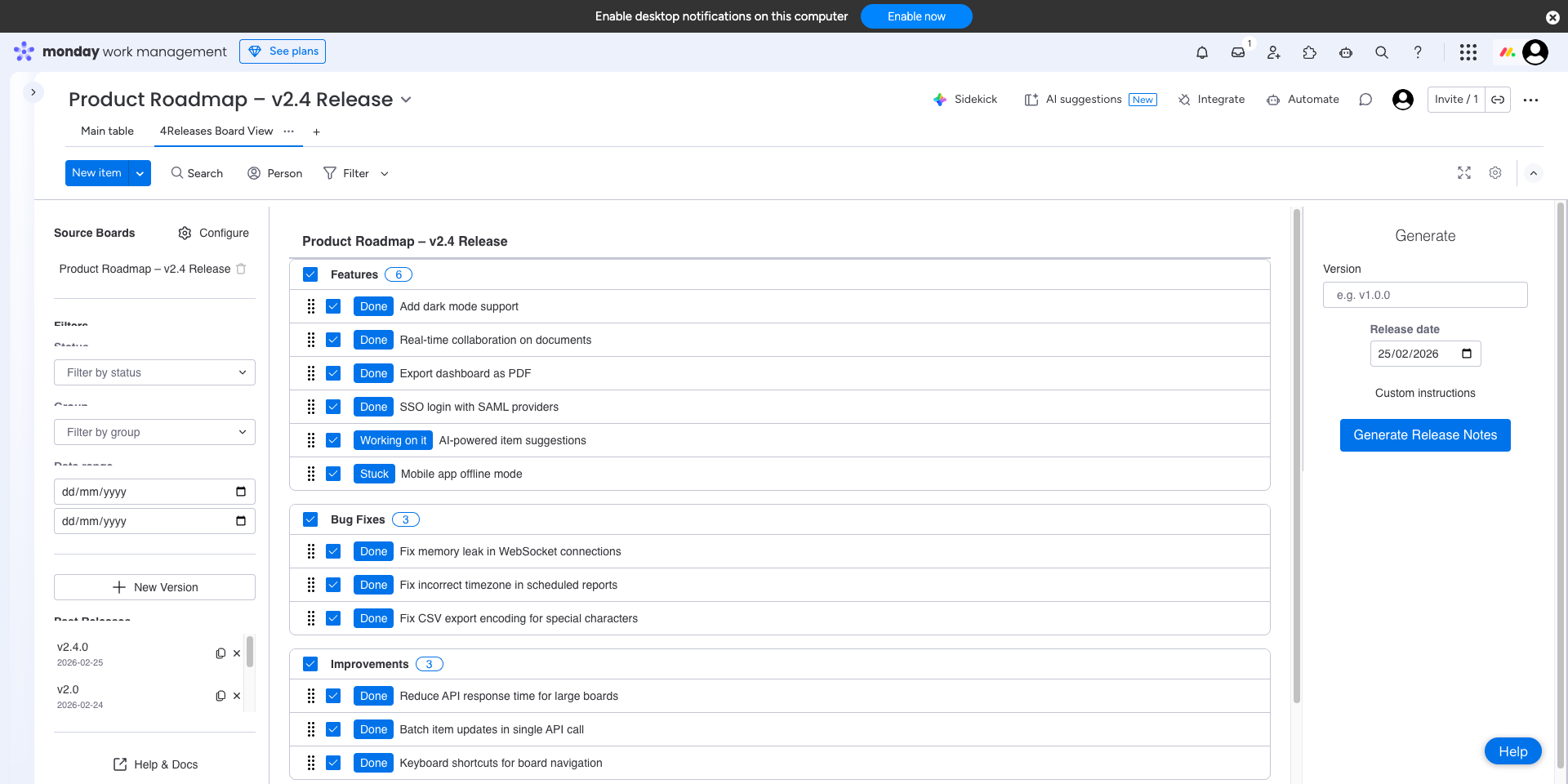
Pick any monday.com board as your source. Select individual items or entire groups to include in your release notes.
Auto-Categorization
Items are automatically grouped by type — features, bug fixes, improvements, and more. Map your board's columns to release note categories.
AI Generation
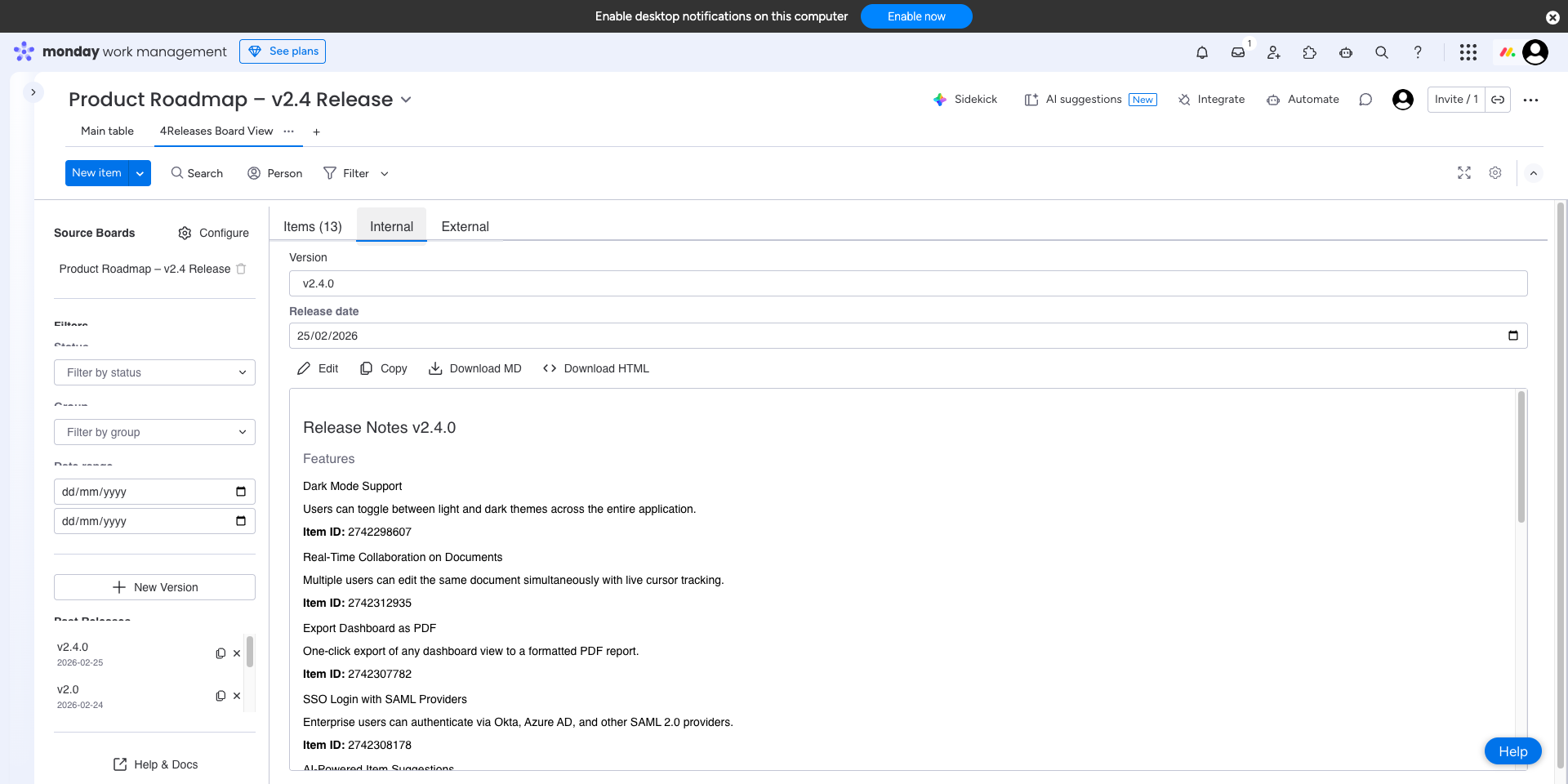
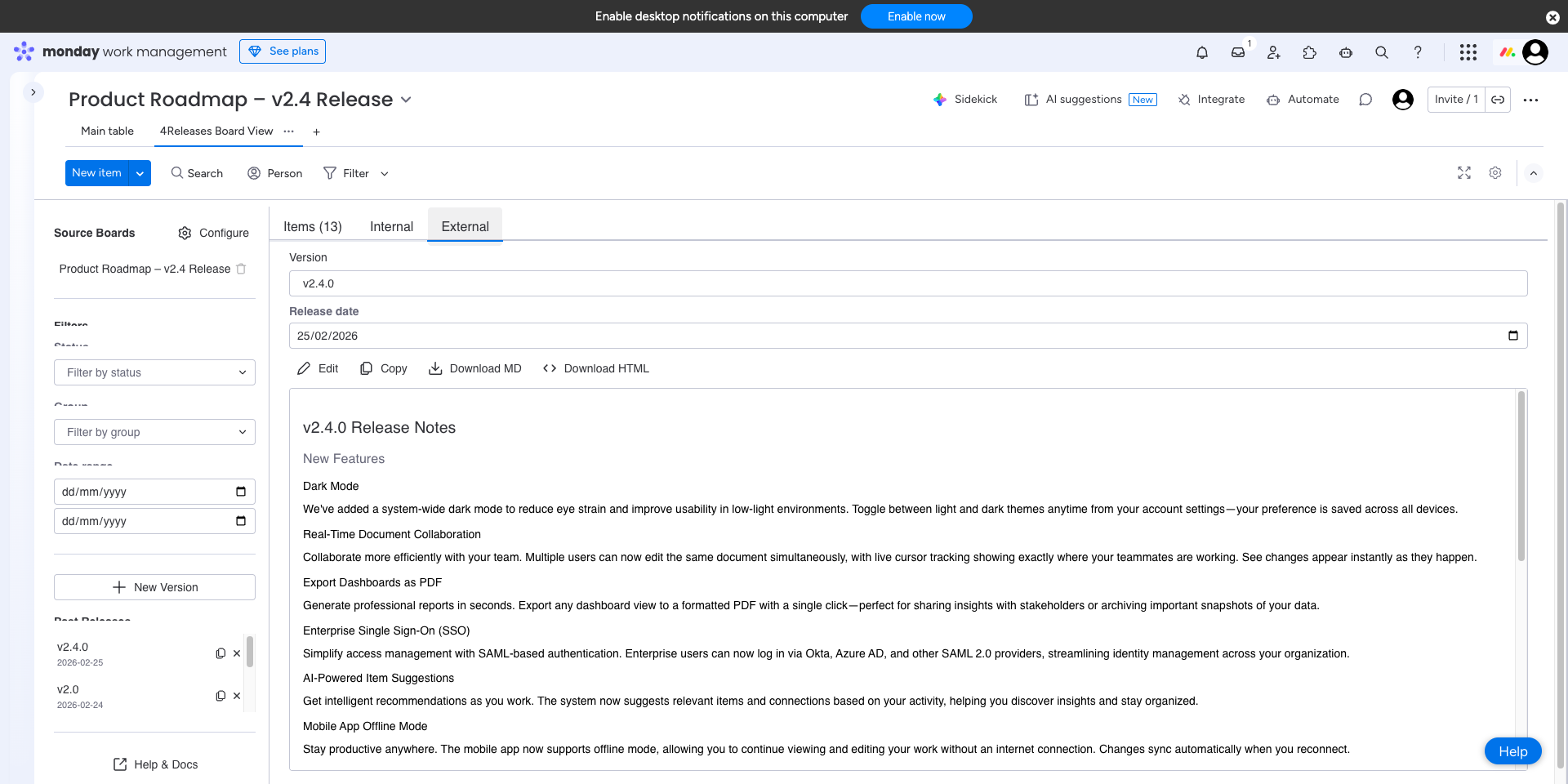
Generate polished, professional release notes with one click. AI transforms your board items into clear, readable summaries.
Dual Audience
Generate internal notes for your team and external notes for customers — each with the right level of detail and tone.
Markdown & HTML Export
Export your release notes as Markdown or rendered HTML. Copy to clipboard or download — ready for your docs site, Slack, or email.
Release History
Save and revisit past releases. Edit notes after generation, duplicate releases as templates, and track your release cadence.
Get started in 3 steps
From install to first release notes in under 5 minutes
Install the app
Add 4Releases from the monday.com marketplace. No external accounts or configuration needed.
Pick a board & map columns
Select any board, then map your columns to release note categories. 4Releases auto-detects common column types to get you started fast.
Generate notes
Select items, click generate, and get polished release notes in seconds. Edit, export, and share with your team or customers.