
Your team's issue gatekeeper
built into Jira
New issues pile up faster than your team can review them. Triage Inbox captures every incoming issue, lets you accept, decline, snooze, or flag duplicates — and keeps Jira in sync without touching your workflows.
See it in action
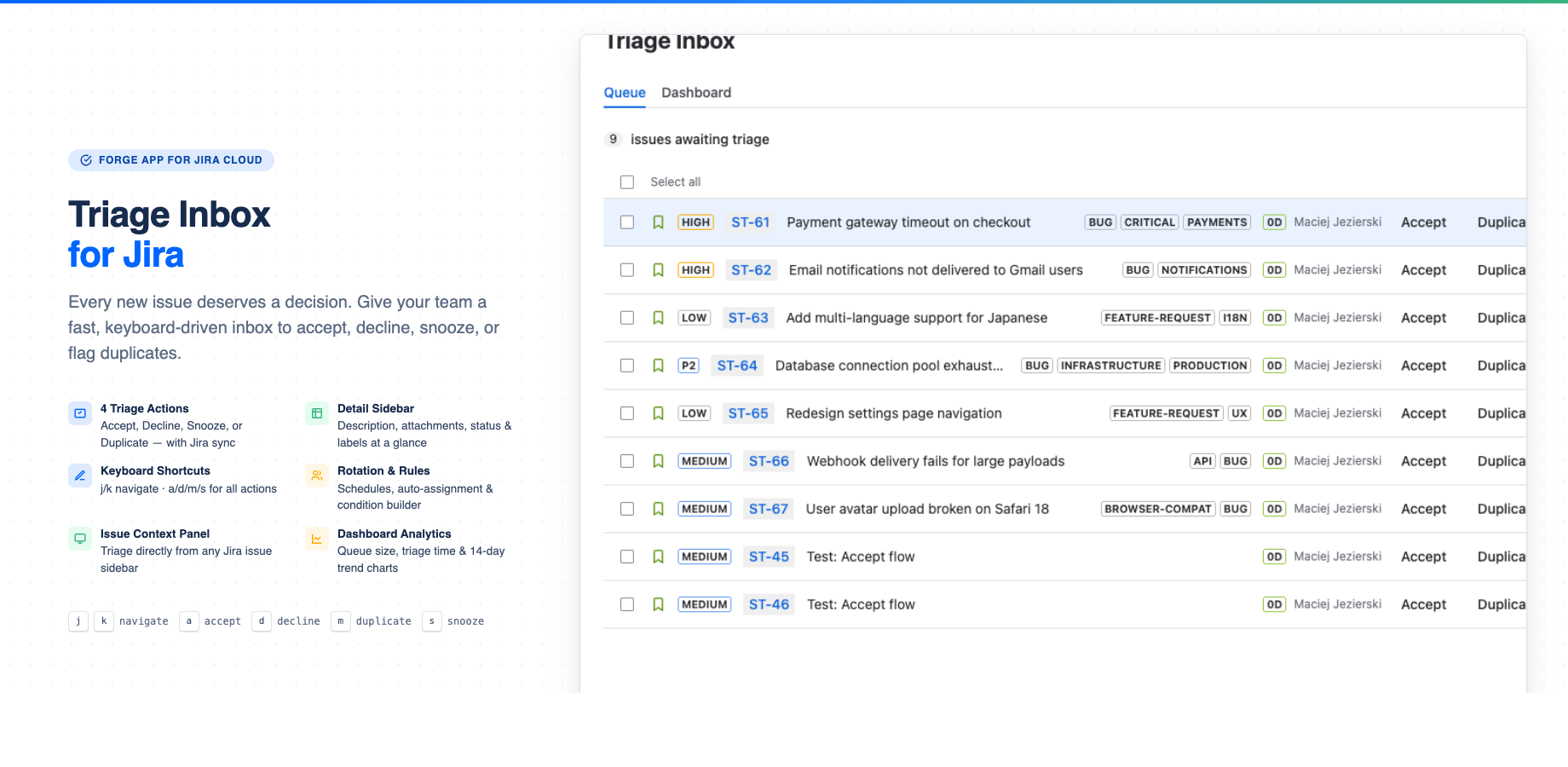
Triage queue with detail sidebar — description, attachments, and one-click actions
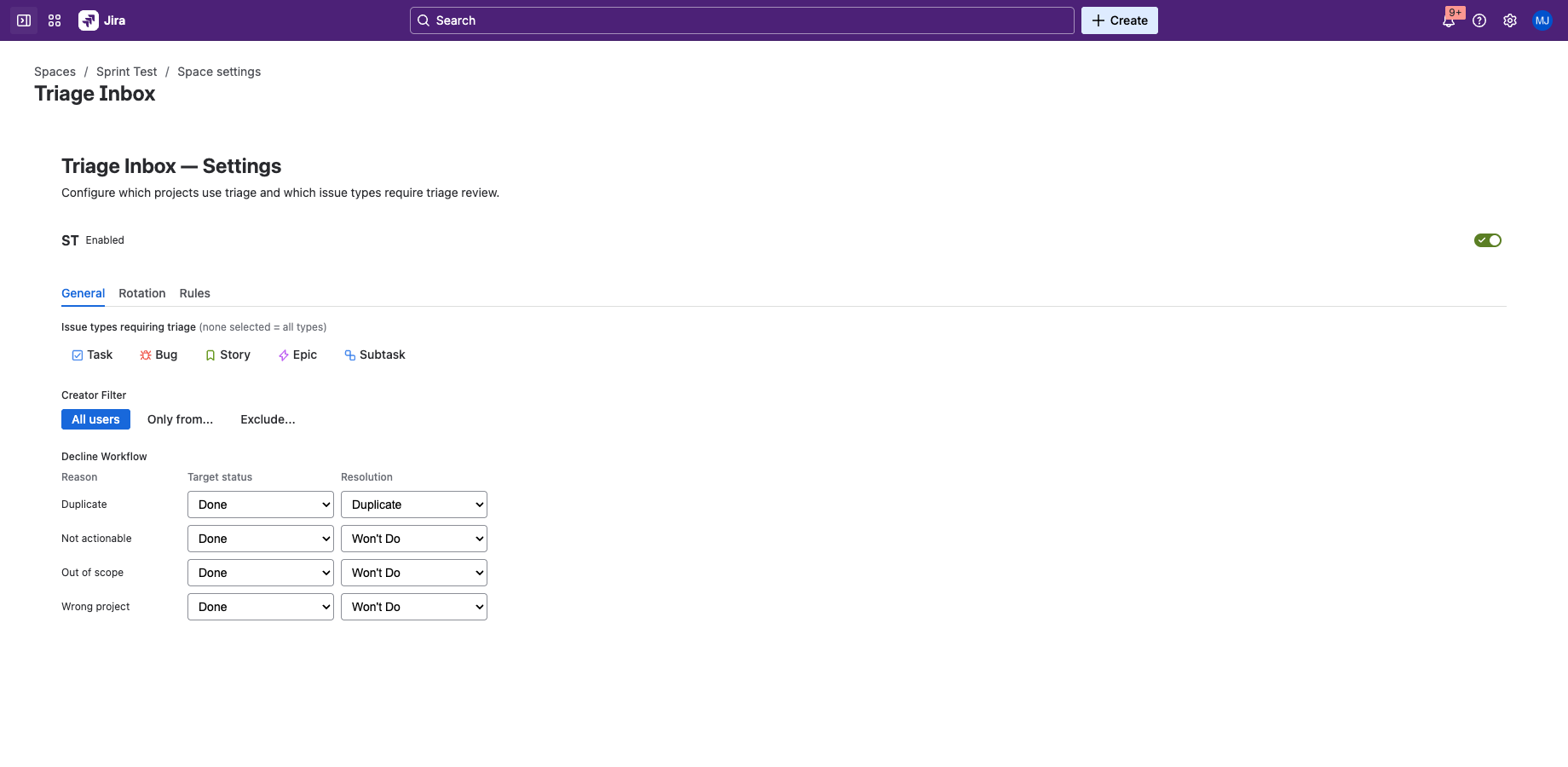
Project settings — issue types, creator filter, decline workflow
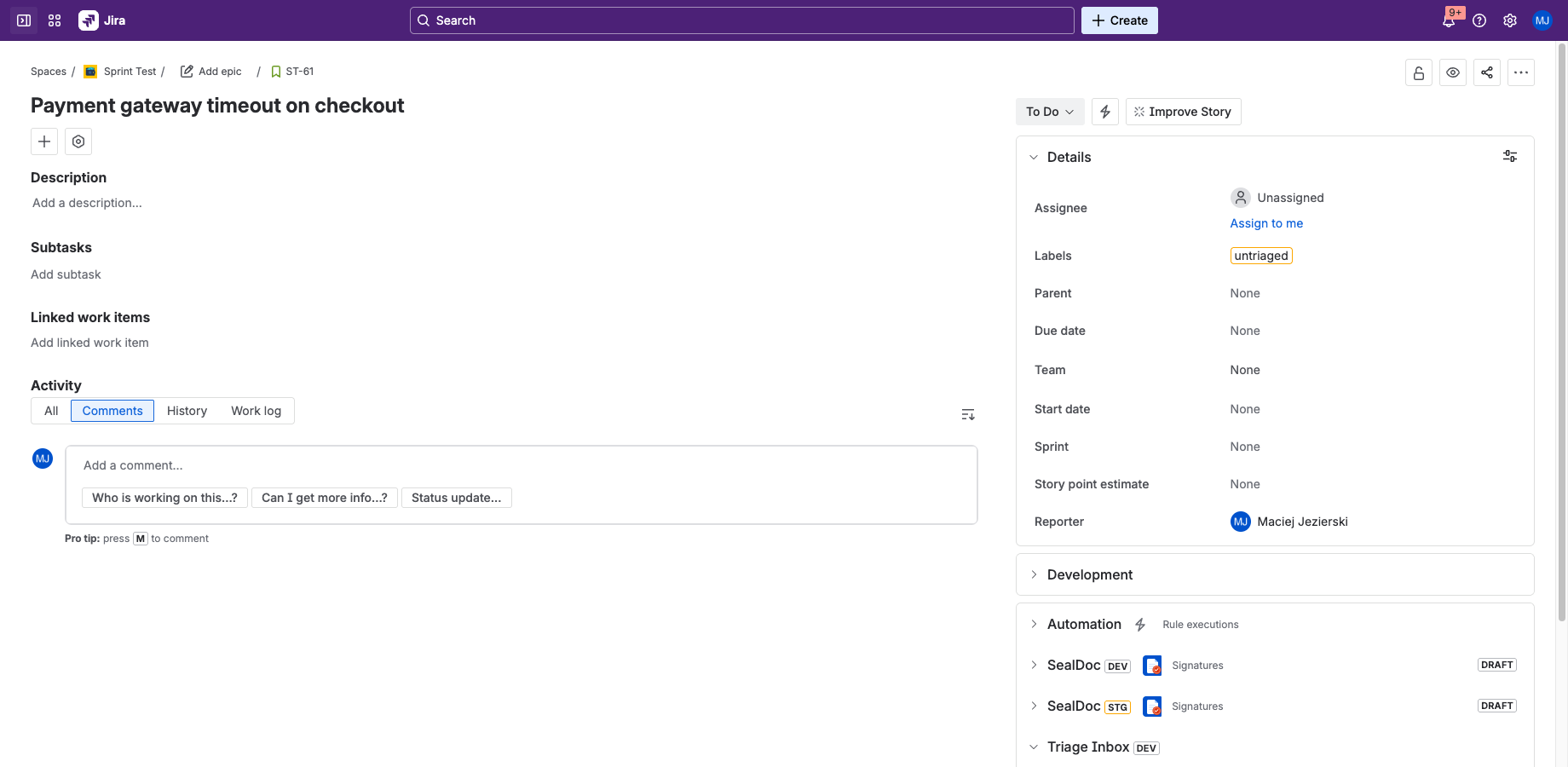
Issue context panel — triage from any issue sidebar
How it works
Three steps from chaos to clarity
1. Issues arrive
Every new issue in your project is automatically captured into the triage inbox with an "untriaged" label. No manual work needed.
2. Review & decide
Accept for the sprint, decline with a reason, snooze for later, or mark as duplicate. Keyboard shortcuts let you fly through the queue.
3. Jira stays in sync
Declined issues transition to Done with the right resolution. Duplicates get linked. Labels update. Your workflow stays untouched.
Everything you need for triage
From keyboard-driven triage to automated routing — everything your team needs to stay on top of incoming work
Triage Queue
Inbox with detail sidebar — see priority, status, description, labels, and attachment previews at a glance. Navigate with j/k and triage without leaving the queue.
Keyboard Shortcuts
j/k to navigate, a to accept, d to decline, m for duplicate, s to snooze, ? for help. Triage at the speed of thought.
Rotation Schedule
OpsGenie-style daily or weekly rotation with participants, handoff hour, 3-week preview, and manual overrides.
Triage Rules
Condition builder with 5 fields (priority, labels, reporter, type, component), AND/OR logic, and 4 action types.
Permissions & Access Control
Two custom Jira permissions control who can triage and who can manage settings. Restrict by group via the Permissions tab. Creator filter limits which issues enter triage.
Dashboard Analytics
Queue size, average triage time, aging breakdown (24h/48h/7d), and 14-day trend chart. Know your triage health at a glance.
Decline workflow that maps to Jira
Four decline reasons, each configurable with a target status and resolution
Duplicate
Search for the original issue, create a Jira "Duplicate" link, transition to Done with "Duplicate" resolution.
Not Actionable
Issues that don't require action. Transitions to Done with "Won't Do" resolution and a triage comment.
Out of Scope
Valid issues that belong to another team or initiative. Declined with context for future reference.
Wrong Project
Issues filed in the wrong place. Declined so they can be recreated in the right project.
Triage from anywhere
The issue context panel lets you see triage status and take actions directly from any Jira issue
Pending issues
Accept, decline (with reason picker), mark as duplicate, or snooze — right from the issue sidebar. No need to open the Triage Inbox.
Triaged issues
See the triage status (accepted, declined with reason, snoozed until date) without leaving the issue view.