
Compliance-ready requirements management
native to Jira
Audit trails, e-signatures, safety classification, and traceability — built for ISO 13485, ASPICE, DO-178C, and 21 CFR Part 11. Every requirement is a native Jira issue. Runs on Atlassian Forge.
See it in action
Built for regulated industries
Audit trails, e-signatures, and safety classification for every major standard
ISO 13485 / IEC 62304
Medical devices — document control, design verification, approval records
ASPICE / ISO 26262
Automotive — structured requirements, ASIL safety levels, bidirectional traceability
DO-178C / DO-254
Aerospace & defense — structural coverage, DAL safety levels, configuration management
SOX / GxP / 21 CFR Part 11
Finance & pharma — electronic signatures, internal controls, audit evidence
Compliance features
Everything your audit team asks for — built in, not bolted on
Immutable Audit Trail
Insert-only log of every create, update, delete, approve, sign, and classify action. User, timestamp, and field-level diff on every entry.
Electronic Signatures
Multi-person sign-off with meaning (Approved / Reviewed / Verified), signer identity, comment, and timestamp. Meets 21 CFR Part 11.
Approval Workflow
Draft → In Review → Approved state machine. Configurable minimum signers. Auto-revert to Draft on edit for re-review.
Safety Classification
ASIL (ISO 26262), DAL (DO-178C), Risk Class (IEC 62304), or custom schemes. Filterable in every report.
Baselines & Comparison
Immutable point-in-time snapshots of requirements, coverage, and test results. Compare any two baselines to see what changed.
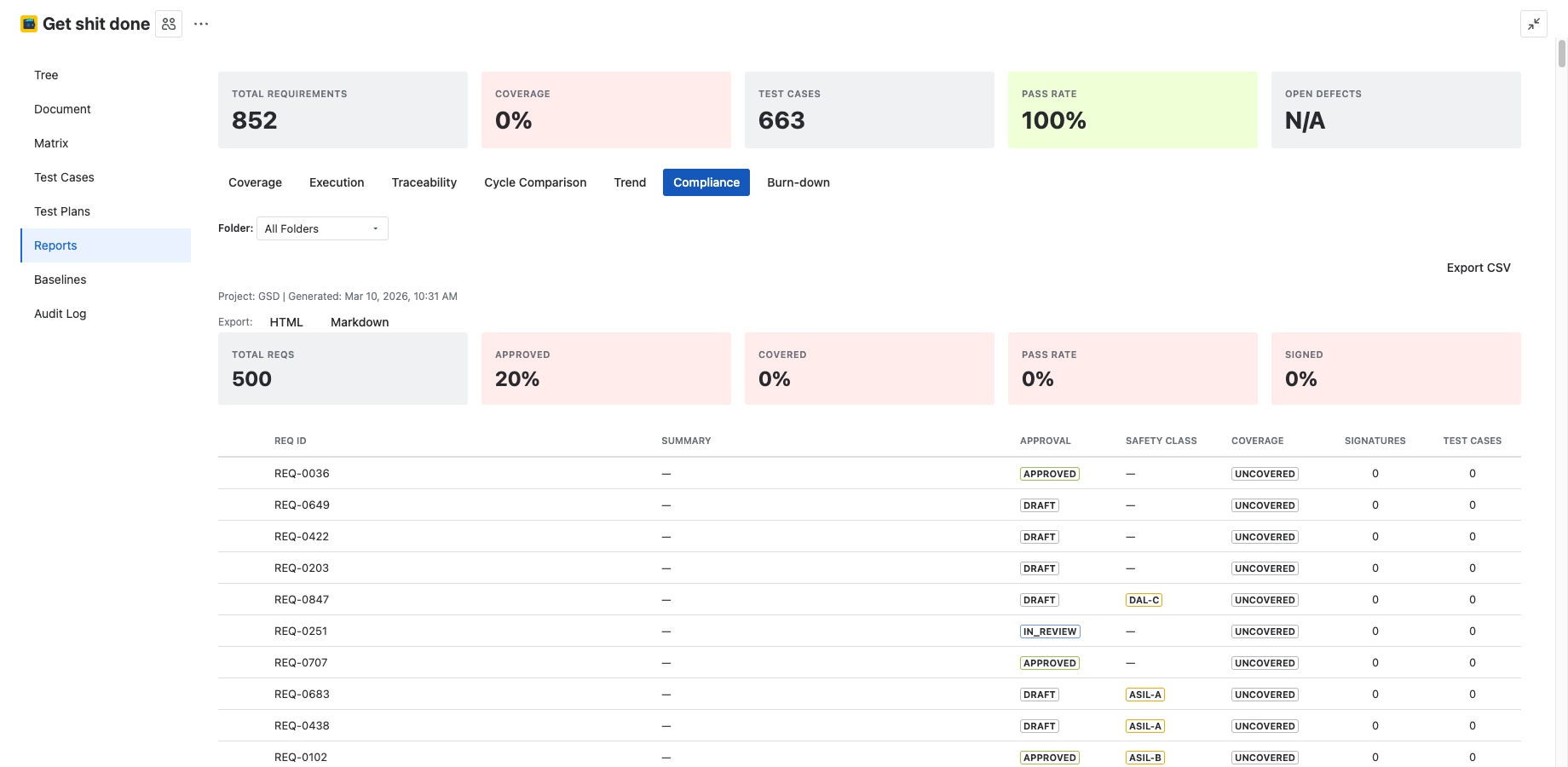
Compliance Report
Full chain: requirement → approval → safety class → coverage → signatures → test results → defects. Export as HTML for auditors.
Requirements management
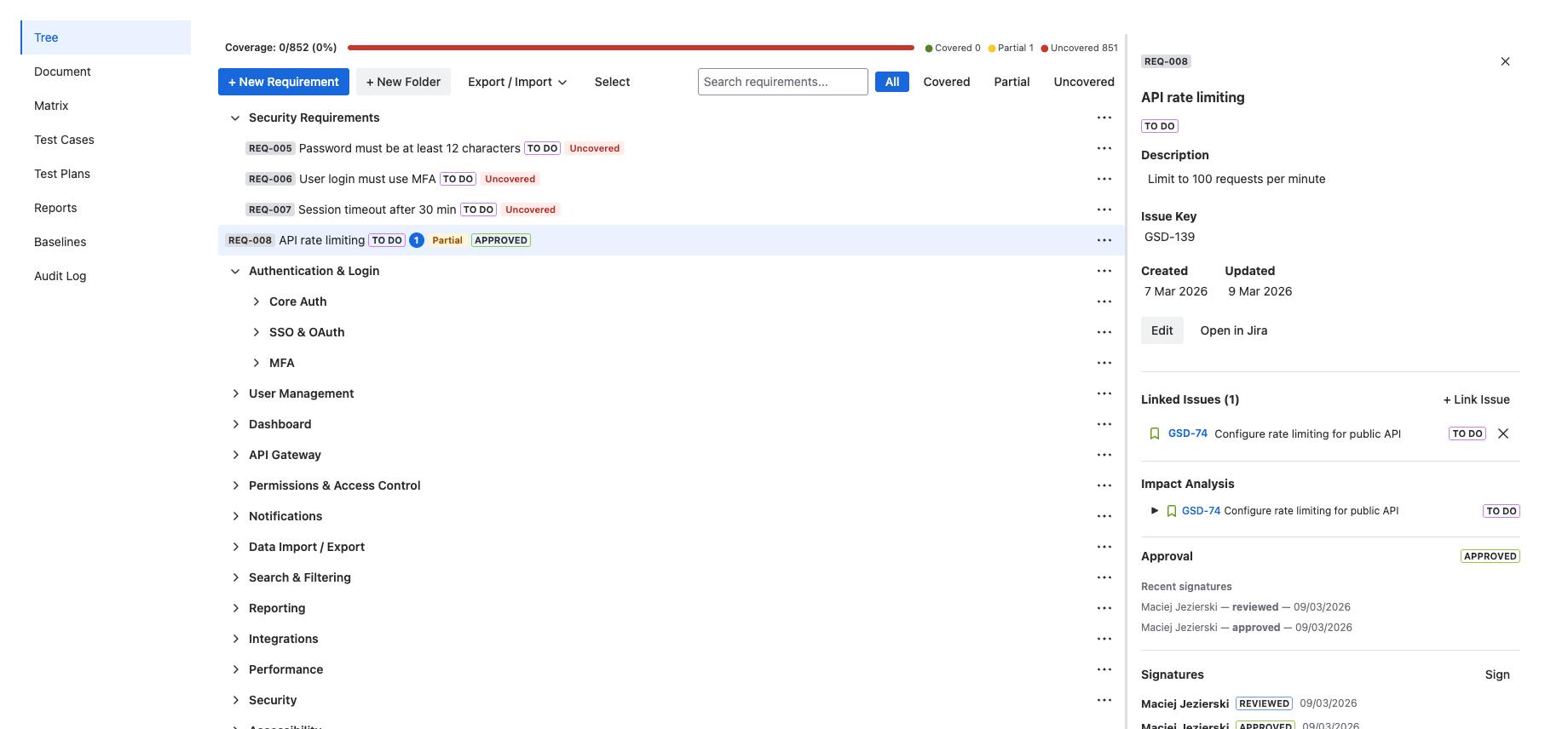
Requirements live as native Jira issues — searchable, linkable, and visible across your project
Requirements Tree
Organize requirements in folders with unlimited nesting. Drag and drop to reorder. Search and filter by status, type, or coverage.
Native Jira Issues
Every requirement is a real Jira issue with its own key, status, assignee, and workflow. No proprietary data store.
Traceability Matrix
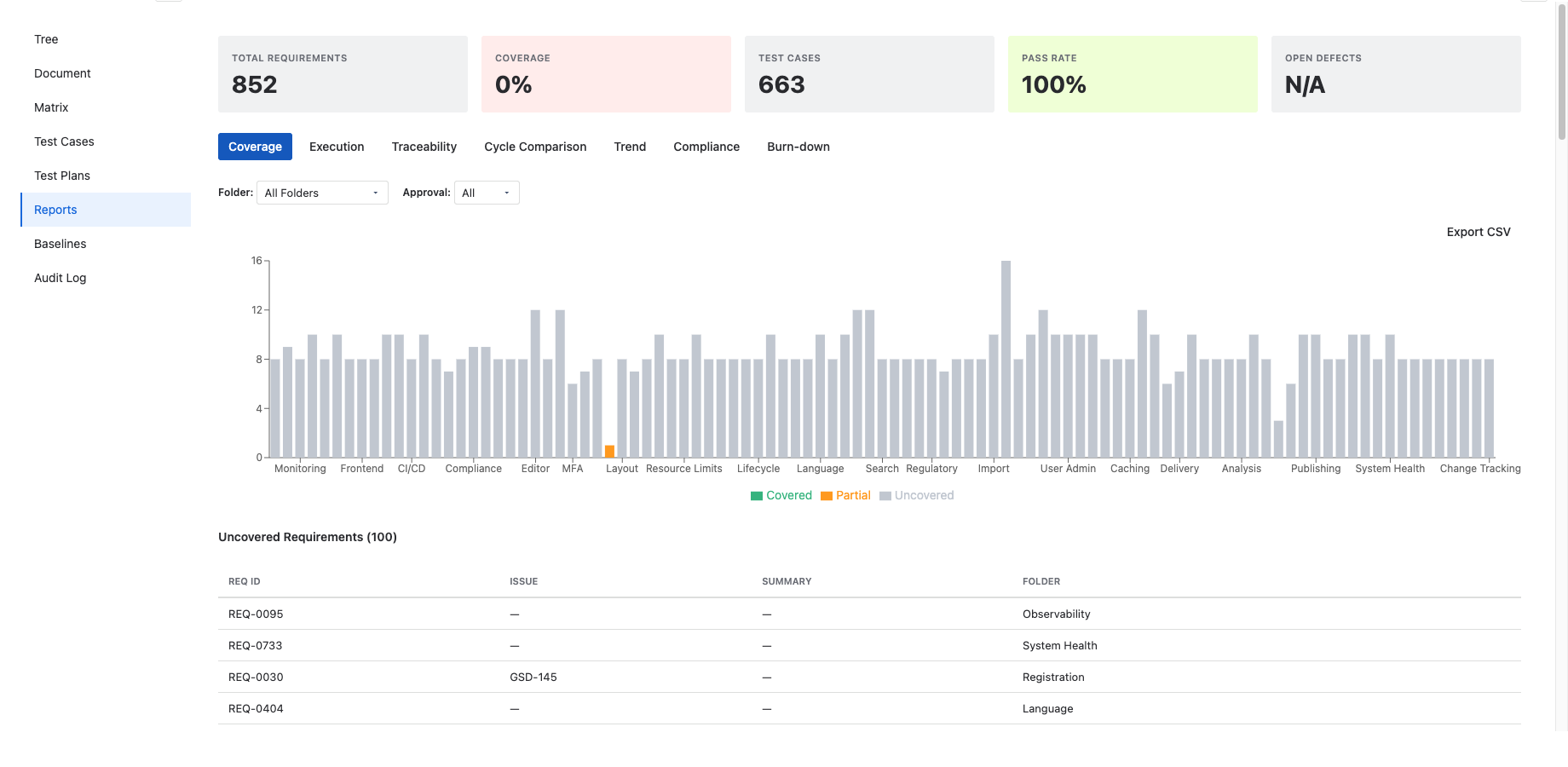
See which requirements are covered, partially covered, or uncovered. Filter by coverage status. Export for audits.
Document View
Render requirements as a structured specification with auto-numbered sections. Export as Markdown or self-contained HTML.
Coverage Analysis
Project-level and per-requirement coverage tracking. Gap detection filter surfaces uncovered requirements instantly.
Impact Analysis
2-level downstream traversal: requirement → linked stories/tasks → their subtasks and bugs. Understand change ripple effects.
Test management
Plan, execute, and track tests — linked bidirectionally to requirements
Test Cases
Create test cases with step-by-step instructions. Link to requirements for bidirectional traceability. Auto-generated TC IDs.
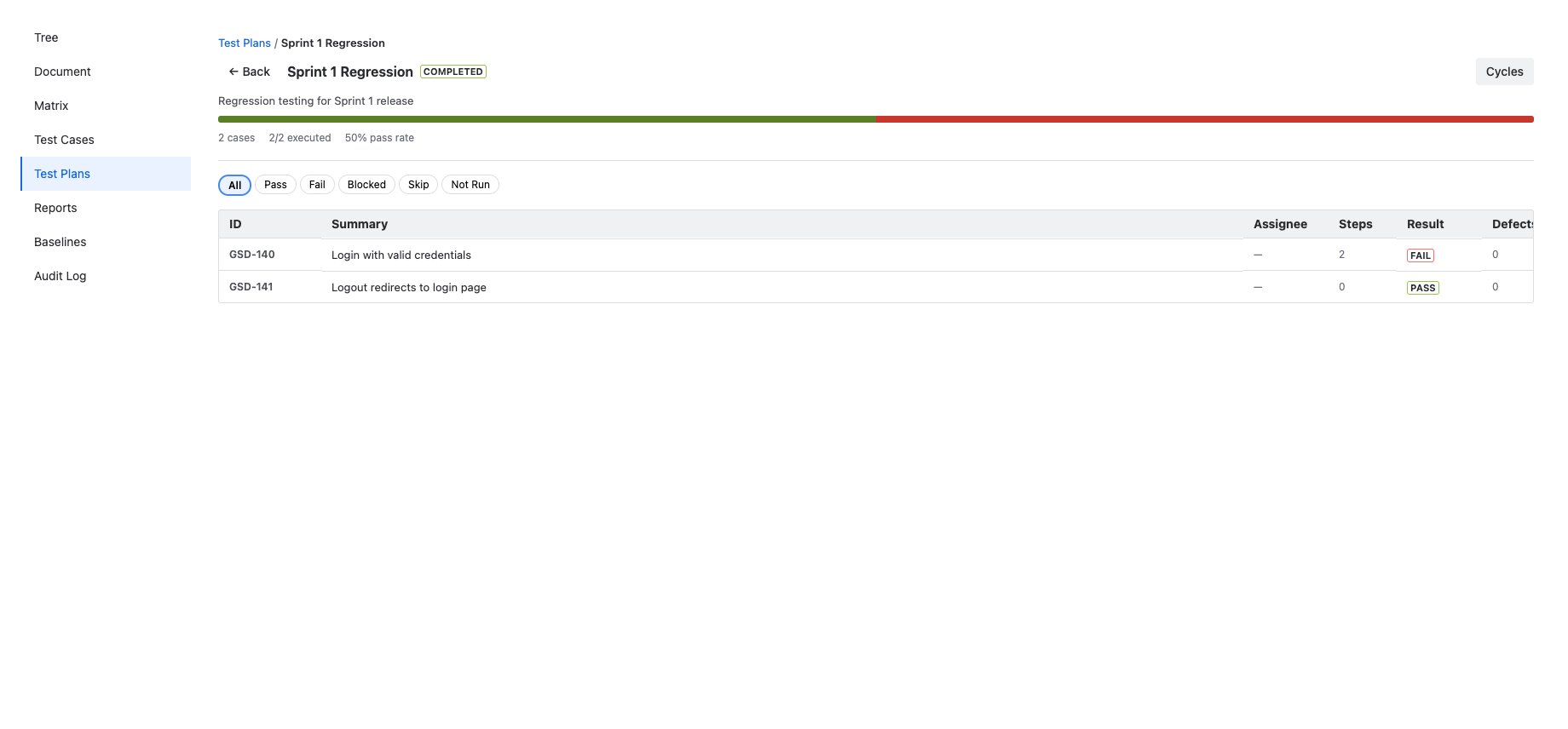
Test Plans
Group test cases into plans. Track progress with pass rate and execution count. Assign to team members.
Test Execution
Step-by-step execution runner. Mark each step as Pass, Fail, Blocked, or Skip. Create defects from failed steps.
Test Cycles
Named execution passes per test plan. Run the same plan multiple times and track results across cycles.
Defect Tracking
Link existing Jira bugs or create new ones directly from failed test steps. Track defect status alongside execution results.
Baselines
Snapshot requirements, test cases, coverage, and execution results at a point in time. Compare baselines to track changes.
How 4Spec compares
The only requirements management app with the "Runs on Atlassian" badge
| Feature | Other tools | 4Spec |
|---|---|---|
| Requirements as native Jira issues | ||
| Runs on Atlassian Forge (no external servers) | ||
| Bidirectional traceability matrix | ||
| Immutable audit log | ||
| Electronic signatures (21 CFR Part 11) | ||
| Safety classification (ASIL / DAL / Risk Class) | ||
| Integrated test execution with cycles |
Get started in 3 steps
From install to your first requirement in under 5 minutes
Install from Marketplace
Add 4Spec from the Atlassian Marketplace. It runs on Forge — no external servers or configuration needed.
Open from project sidebar
Navigate to your Jira project and open 4Spec from the sidebar. Issue types and fields are provisioned automatically.
Create your first requirement
Click + to create a requirement. It becomes a native Jira issue — searchable, linkable, and traceable.