
Signing PIN
Why a PIN?
21 CFR Part 11 §11.200(a)(1) requires electronic signatures to use "at least two distinct identification components." SealDoc implements this with:
- Jira session — your authenticated identity, managed by Atlassian (SSO, 2FA, SAML).
- Signing PIN — a personal numeric code that only you know.
The PIN is the "something you know" factor. Combined with the Jira session ("who you are"), this satisfies the two-component identification requirement.
PIN Setup
The first time you attempt to sign a document, SealDoc prompts you to create a signing PIN. The PIN must be:
- 4 to 6 digits
Your PIN is hashed with PBKDF2-SHA512 using 600,000 iterations and a random salt before storage. The plaintext PIN is never stored or logged.
PIN Expiry
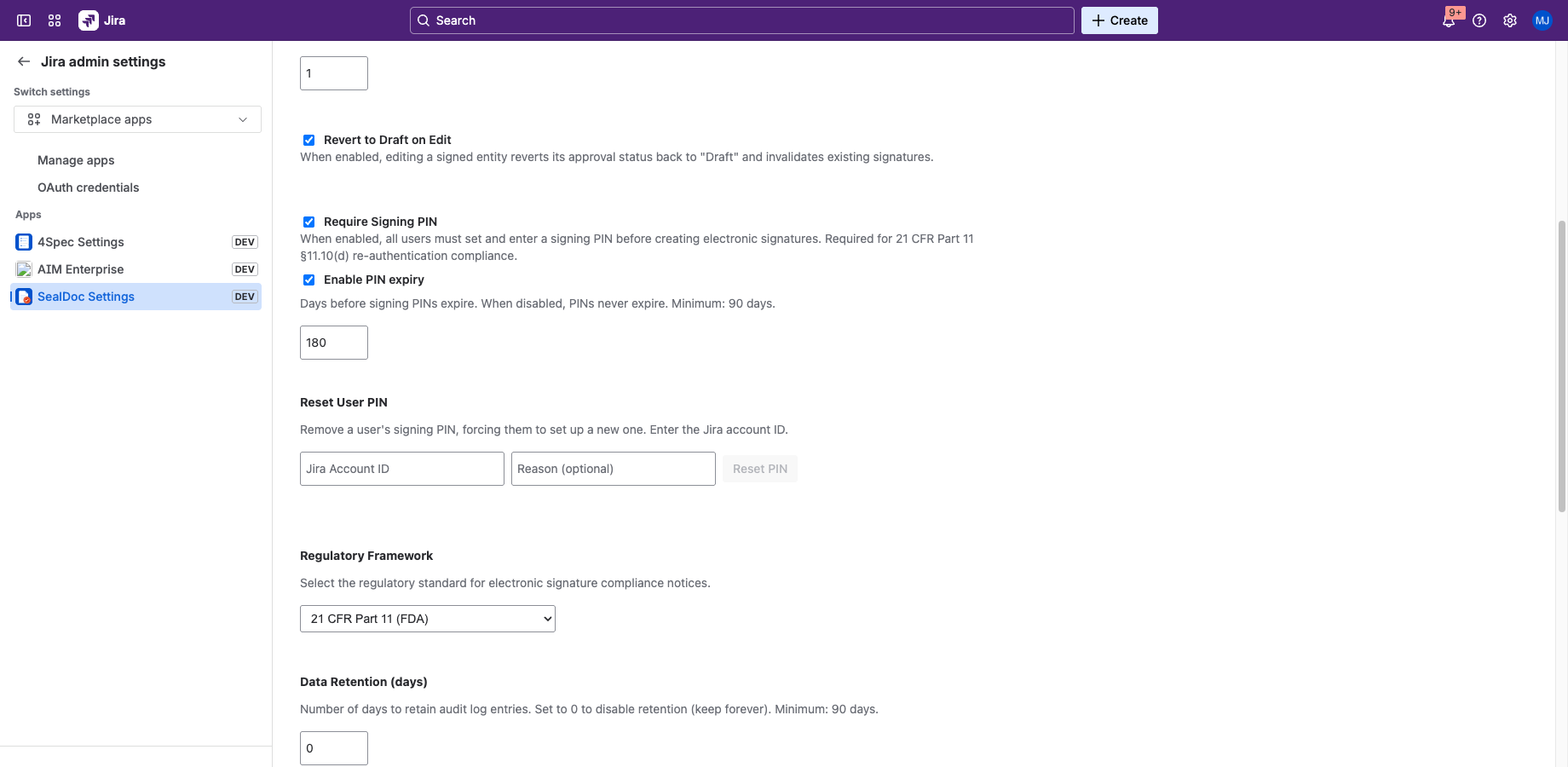
PIN expiry can be enabled or disabled by an administrator. When enabled, PINs expire after 180 days by default (minimum: 90 days). When disabled, PINs never expire. When your PIN expires:
- You cannot sign documents until you set a new PIN.
- SealDoc prompts you to create a new PIN the next time you attempt to sign.
The expiry toggle and period are configurable in Admin Settings under "Enable PIN expiry."
Lockout
After 3 consecutive failed PIN attempts, your signing capability is locked for 15 minutes. During lockout:
- You cannot sign any documents.
- The lockout applies to all signing actions (individual and batch).
- The lockout is logged in the audit trail.
- After 15 minutes, you can try again with the correct PIN.
Transparent Rehashing
If the system's hash parameters are updated (e.g., increased iteration count), SealDoc transparently rehashes your PIN on the next successful verification. You don't need to change your PIN — the upgrade happens automatically.
Admin PIN Reset
Administrators with the manage-sealdoc permission can reset any user's PIN. This completely removes the PIN, forcing the user to set up a new one on their next sign attempt. This is useful when:
- A user reports their PIN may have been compromised.
- An organization-wide PIN reset is required.
- A user leaves the organization and their signing capability should be immediately revoked.
PIN resets are logged in the audit trail with the admin's identity and an optional reason.
PIN vs. Password
The signing PIN is not a replacement for your Jira password. It serves a different purpose:
| Jira Password | Signing PIN | |
|---|---|---|
| Purpose | Authenticate to Jira | Second factor for signing |
| Managed by | Atlassian | SealDoc (Forge SQL) |
| Used for | Login | Signing documents only |
| Storage | Atlassian identity | PBKDF2-SHA512 hash in Forge SQL |